


Table of Contents
- Why Caffeine Causes Jitters When You're Gaming
- Caffeine and Gaming Performance: The Right Dosage
- L-Theanine and Caffeine for Focus Without the Shake
- Best Coffee for Gamers: Choosing the Right Brew
- Step-by-Step: How to Prevent Caffeine Crash During Gaming
- Recognizing Signs of Caffeine Sensitivity
- Conclusion: Smooth Energy for Peak Gaming
Last Updated: August 22, 2026
Why Caffeine Causes Jitters When You're Gaming
Caffeine jitters happen because caffeine blocks adenosine receptors in your brain, which normally signal fatigue. When you're already focused and alert at your gaming setup, that extra stimulation amplifies into visible hand tremors and anxiety that tank your precision.
Gaming demands fine motor skills and steady hands. A typical energy drink or strong cup of coffee floods your system with caffeine all at once, overwhelming your nervous system. The combination of mental intensity and physical precision, sitting still, concentrating hard, while your body is already heightened, pushed your nervous system into overdrive. Vasoconstriction tightens blood vessels, cortisol spikes, and you're fighting your own physiology instead of your opponent.
The good news: you can get the alertness caffeine provides without the jitters by understanding how caffeine metabolism works and adjusting your approach accordingly. At Ed In Your Head, we've built our specialty coffee specifically for athletes and gamers who need sustained energy without the crash or shake. Fresh-roasted the day it ships means you're getting maximum stability in every cup.
Caffeine and Gaming Performance: The Right Dosage
The ideal caffeine dose for gaming is 100-200 mg, taken 30-45 minutes before you start a session (peer-reviewed research). That's roughly one standard cup of coffee or two shots of espresso. Going beyond 200 mg is where most gamers run into trouble, you get diminishing returns on focus while jitters increase dramatically.
More caffeine doesn't equal better performance. Caffeine improves reaction time and alertness up to a point, then plateaus. Past that threshold, anxiety and hand tremors actually degrade performance. For competitive gaming, precision matters more than raw stimulation.
Your body weight affects how you process caffeine. A 150-pound gamer and a 220-pound gamer process the same 150 mg differently. The lighter person hits peak stimulation faster and stays there longer. If you're lighter, start at 100 mg; if heavier, you can safely go to 150-200 mg.
Caffeine sensitivity also varies based on genetics and regular consumption. If you drink coffee daily, your adenosine receptors adapt and you need more caffeine to feel the same effect. If you're sensitive to stimulants or rarely consume caffeine, 75 mg might be your sweet spot. Test with a low dose first and adjust upward.
L-Theanine and Caffeine for Focus Without the Shake
L-theanine is an amino acid found naturally in tea that fundamentally changes how your body processes caffeine. When combined with caffeine, L-theanine smooths out the stimulant effect, giving you alertness without nervous system overload.
Caffeine triggers dopamine release and blocks adenosine, creating the jittery feeling. L-theanine increases alpha brain wave activity, the state associated with calm focus, while you still get caffeine's cognitive boost. The combination is smoother, steadier, and more sustainable for long gaming sessions.
The ideal ratio is roughly 2:1 L-theanine to caffeine (peer-reviewed research). If you're taking 100 mg of caffeine, aim for 200 mg of L-theanine. This ratio has been tested extensively in focus and gaming contexts and consistently delivers focus without the shake.
Most specialty coffees don't include L-theanine in meaningful amounts. Tea does, which is why tea drinkers report a different caffeine experience than coffee drinkers. If you want the L-theanine benefit with coffee, you need to brew coffee with tea, use a blend that includes it, or supplement separately.
Ed In Your Head's Coffee with Mushrooms blends are formulated with focus in mind. The mushroom ingredients, Lion's Mane, Cordyceps, and Reishi, work synergistically with caffeine to support sustained mental performance without the crash. You get clean caffeine plus cognitive support that keeps you sharp through multi-hour sessions.

Best Coffee for Gamers: Choosing the Right Brew
The best coffee for gaming is fresh-roasted, single-origin, medium roast with consistent caffeine content. Avoid dark roasts, the longer roasting process reduces caffeine slightly, and the heavier body can cause bloating during long sessions.
Medium roast gives optimal caffeine extraction without the bitterness that triggers stomach acid and jitters. The flavor stays clean and bright, which matters when drinking multiple cups over hours. Single-origin coffees matter because you know exactly what you're getting. Blends vary in caffeine content and roast date, while single-origin lets you track how your body responds and stick with what works.
The absolute best choice for gamers is coffee roasted within days of shipping, not weeks or months. Stale coffee oxidizes and loses both flavor and caffeine stability. Fresh-roasted specialty coffee maintains its molecular structure, meaning more predictable caffeine absorption and smoother energy delivery.
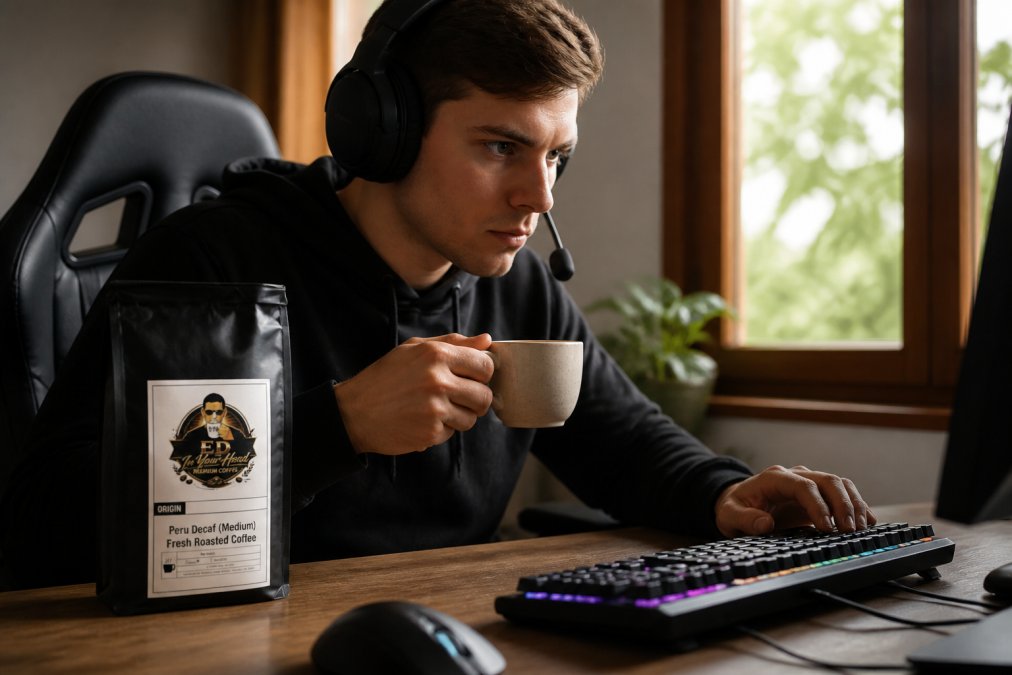
Ed In Your Head's Peru Decaf (Medium) is built for gamers who want the ritual and flavor of coffee without full caffeine load. At $25.99, it gives you smooth coffee experience without overload risk. For full caffeine with enhanced focus support, the Coffee with Mushrooms Medium Roast ($25.00) delivers fresh-roasted specialty coffee infused with Lion's Mane, Cordyceps, and Reishi, three mushrooms traditionally used to support cognitive performance and sustained mental clarity.

Choosing a roast designed for your use case over whatever's on the shelf is measurable. Consistency in your caffeine source means your body adapts predictably, your energy stabilizes, and jitters become avoidable rather than inevitable.
Step-by-Step: How to Prevent Caffeine Crash During Gaming
Preventing caffeine crash means managing the full lifecycle of caffeine in your system, what you do before, during, and after consumption.
Timing Your Caffeine Intake
Caffeine peaks in your bloodstream 30-45 minutes after consumption (the FDA). Drinking coffee right before gaming means peak stimulation hits mid-session, often when jitters are strongest.
Drink your coffee 30 minutes before you start. This way, caffeine ramps up as you settle into your setup and reaches peak effect when you're already focused and warmed up. Your body adjusts to stimulation before high-intensity play begins.
For sessions longer than 4 hours, time a second dose at the 3-hour mark. This second dose should be smaller: 75-100 mg instead of your full 100-200 mg. This extends energy without doubling jitter risk.
Never consume caffeine less than 6 hours before sleep. Caffeine's half-life is 5-6 hours, so half the dose remains in your system 6 hours later. If you game at night, your last caffeine should be early evening, or you'll wreck your sleep, and poor sleep makes caffeine jitters worse the next day.
Eating Before and During Gaming
Caffeine on an empty stomach is the fastest path to jitters and nausea. Food slows caffeine absorption, smoothing out the spike. Eat a balanced meal with protein, fat, and carbs 1-2 hours before gaming to stabilize blood sugar.
During sessions longer than 2 hours, eat small snacks every 60-90 minutes. Protein-based snacks work best: nuts, cheese, jerky, or a protein bar. These maintain steady blood sugar and prevent energy crashes that make jitters feel worse. When blood sugar drops, your body releases more cortisol, amplifying caffeine's stimulant effect.
Avoid sugary snacks during gaming. The blood sugar spike and crash cycle makes caffeine jitters exponentially worse. Stick to protein and fat-based snacks that provide steady energy.
Hydration and Electrolyte Balance
Caffeine is a mild diuretic, it increases urination and dehydration. Dehydration amplifies jitters because your nervous system becomes more sensitive to stimulation when depleted. Drink water continuously throughout your gaming session, not just when thirsty.
Drink 8 oz of water for every 100 mg of caffeine you consume. If you take 150 mg of caffeine, drink at least 12 oz of water before, during, and after your session.
Electrolyte balance matters as much as hydration. Caffeine causes your body to lose sodium and potassium along with water. When electrolytes drop, your nervous system misfires, your hands shake more, anxiety spikes, and focus fragments. Add an electrolyte supplement or drink (no added sugar) to your hydration routine. This is the move most gamers miss, and it's the difference between smooth energy and a shaky mess.
Physical Activity Between Sessions
Sitting still amplifies caffeine jitters. Your nervous system has no outlet for stimulation, so it manifests as hand tremors and anxiety. If gaming for 4+ hours, take a 10-minute break every 90 minutes and do light physical activity.
Walk around, stretch, or do 20 pushups or bodyweight squats. This gives your body an outlet to metabolize caffeine's stimulant effect. You'll return to gaming calmer and steadier. Physical activity also improves caffeine metabolism by increasing blood flow, helping your body process and clear caffeine more efficiently. Even 10 minutes of movement between sessions makes a measurable difference.
Recognizing Signs of Caffeine Sensitivity
Caffeine sensitivity varies dramatically between individuals. Some people thrive on 300 mg daily; others feel jittery at 75 mg. Knowing your sensitivity threshold prevents chasing a dose that won't work for you.
Early signs of caffeine sensitivity are subtle: slight hand tremor, mild anxiety, difficulty focusing despite feeling alert. These appear 30-60 minutes after consumption. If you notice these, you've found your ceiling. Your next dose should be 25-50 mg lower.
Extreme sensitivity shows up as heart palpitations, significant hand tremors, or intense anxiety that interferes with gaming. If you experience these, cut your caffeine dose by half. Some people genuinely cannot tolerate more than 50-75 mg without these symptoms, that's useful information, not a failure.
Sensitivity also changes based on stress, sleep quality, and overall health. During high-stress periods or after poor sleep, caffeine sensitivity increases. You might handle 150 mg fine normally but feel jittery at 100 mg during stressful weeks. Adjust your dose based on your current state.
If you're consistently sensitive to caffeine even at low doses, consider Ed In Your Head's Peru Decaf (Medium) instead. You get the ritual and flavor of specialty coffee with minimal caffeine, roughly 2-5 mg per cup instead of 95-200 mg. This lets you enjoy the coffee experience without jitter risk. Decaf still provides cognitive benefit from coffee compounds, and the psychological effect of the ritual shouldn't be underestimated.
Conclusion: Smooth Energy for Peak Gaming
Getting smooth, jitter-free caffeine for gaming comes down to three things: the right dose (100-200 mg), the right timing (30-45 minutes before play), and the right support (food, water, and electrolytes).
Your choice of coffee matters more than most guides admit. Fresh-roasted specialty coffee delivers consistent caffeine absorption and smoother energy than stale commercial blends. When you add mushroom-based cognitive support like Lion's Mane and Cordyceps, you're not just avoiding jitters, you're actively supporting sustained mental performance through long sessions.
Ed In Your Head's fresh-roasted specialty coffee is built specifically for athletes and gamers who demand clean caffeine without the crash. Our Coffee with Mushrooms blends combine premium single-origin beans roasted the day they ship with Lion's Mane, Cordyceps, and Reishi, three mushrooms traditionally used to support focus and mental clarity. No jitters. No sugar crash. Just smooth, steady energy that keeps your hands steady and your mind sharp through every session. FIND YOUR FUEL
Frequently Asked Questions
Why does coffee make me jittery when I play games?
Coffee jitters happen when caffeine blocks adenosine receptors in your nervous system, increasing cortisol and adrenaline. During gaming, your heart rate and focus are already elevated, which amplifies the stimulant effect. This causes hand tremors, anxiety, and reduced fine motor skills, exactly what kills gaming performance. The effect is worse on an empty stomach because caffeine metabolism happens faster, creating a spike instead of steady energy.
How much caffeine is safe for gaming without getting jittery?
Most gamers perform best with 100-200 mg of caffeine per session, spread across 2-3 hours. This amount boosts reaction time and alertness without triggering tremors or heart palpitations. If you're sensitive to caffeine, start with 75-100 mg. A standard cup of specialty coffee contains 95-200 mg depending on roast and brew method. Pairing caffeine with L-theanine (100-200 mg) can help smooth out the stimulant effect and extend focus without the crash.
Does L-theanine actually stop caffeine jitters?
Yes. L-theanine is an amino acid that promotes alpha brain waves, creating calm focus. When paired with caffeine, it can reduce anxiety and hand tremors while maintaining alertness and reaction time. This combination can help deliver steady energy for sustained periods instead of a sharp spike followed by a crash. Specialty coffee blends with mushroom adaptogens are designed to support a smooth, sustained effect.
How do I avoid a caffeine crash after a long gaming session?
Prevent crashes by eating protein and carbs 30 minutes before caffeine, staying hydrated throughout gaming, and tapering your intake in the final hour. Avoid sugar-heavy energy drinks, which cause blood sugar spikes and crashes. Instead, choose fresh-roasted specialty coffee with stable caffeine delivery. Physical activity after gaming (even a 10-minute walk) burns off excess adrenaline and stabilizes cortisol levels, reducing the post-session energy dip.
This article was written using GrandRanker